
Original Coverage & Source Attribution: paidfreedroid.com
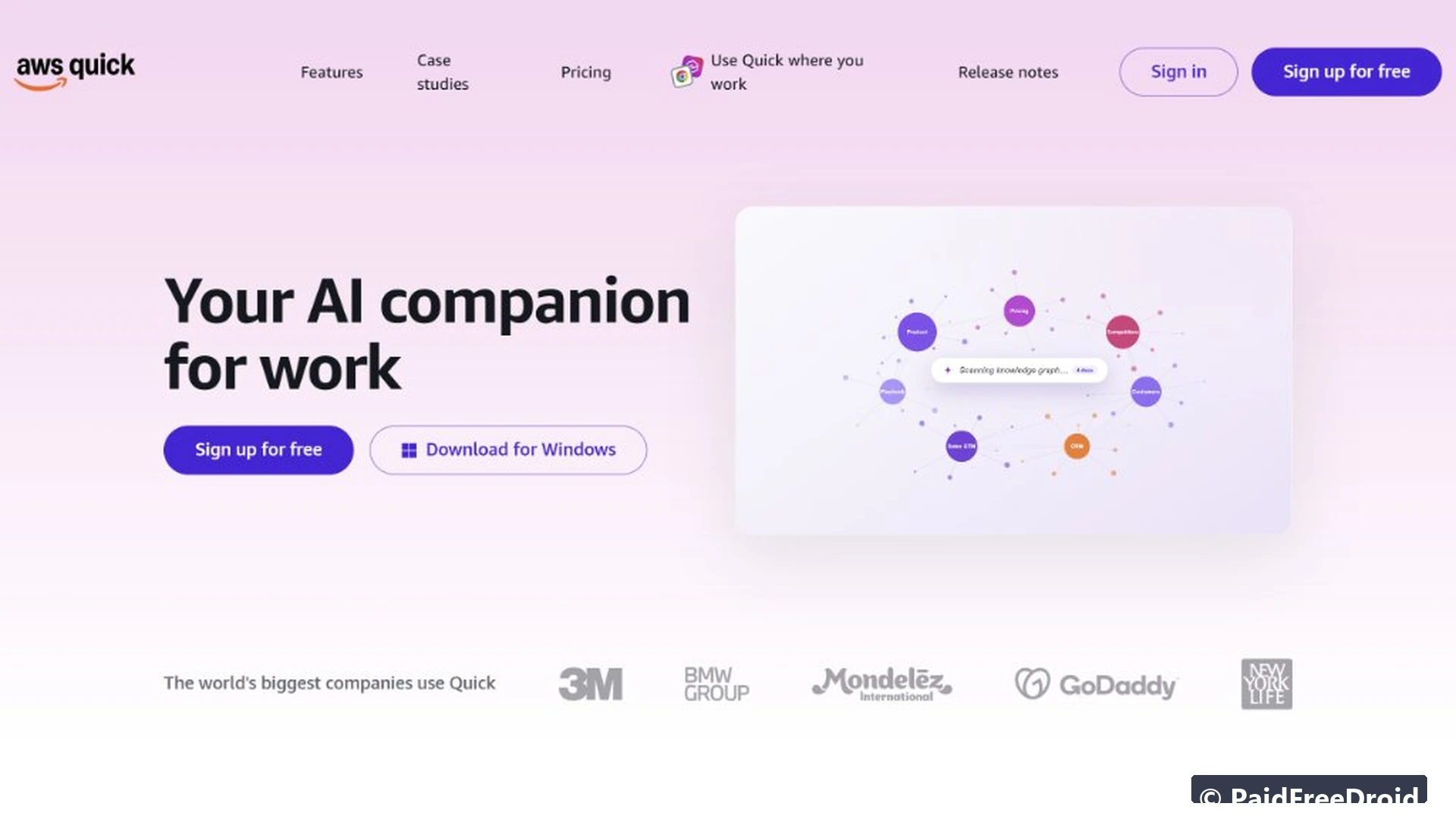
Amazon Web Services has quietly eliminated its most notorious adoption barrier by opening public access to AWS Quick through a standalone, self-serve onboarding portal at quick.aws.com. Historically, tapping into Amazon’s enterprise artificial intelligence tooling required configuring an AWS Management Console account, setting up Identity and Access Management (IAM) permission trees, and entering a credit card for infrastructure billing. With this rollout, anyone can test Amazon’s agentic AI coworker with just a standard email address or social login, requiring zero cloud console expertise and zero upfront billing details.
The move represents a strategic pivot for Amazon, which rebranded its workplace assistant suite (formerly known as Amazon Q Business) into AWS Quick to take on Microsoft Copilot and Anthropic’s Claude Cowork directly. By pairing a generous free tier with out-of-the-box connectors for business apps and developer frameworks, AWS is transforming its enterprise-only AI infrastructure into accessible daily software for knowledge workers, developers, and autonomous agent researchers.
Inside AWS Quick: Amazon Q Rebrand and Workplace Agent Architecture
AWS Quick is built as an agentic workplace assistant engineered to carry out multi-step operational tasks rather than simply answering static conversational prompts. While conventional chatbots generate text in isolated chat boxes, AWS Quick functions as a desktop and browser coworker capable of searching connected repositories, synthesizing multi-page documents, analyzing datasets, and automating repetitive business operations.
The platform divides its core workspace into four integrated operational surfaces:
- Quick Chat and Custom Agents: Conversational assistants tailored to specific project roles, capable of referencing uploaded documentation and company data stores in real time.
- Quick Research: A deep synthesis engine that simultaneously queries public web indexes and private files to generate structured market briefings and comparative reports.
- Quick Sight Business Intelligence: Natural-language data visualization that transforms raw CSV spreadsheets and databases into interactive analytical charts.
- Quick Flows and Automations: Workflow execution pipelines that trigger scheduled actions, sync notifications across team tools, and manage human-in-the-loop approvals.
Anthropic Claude Models and Bedrock Architecture Powering AWS Quick
Much of the viral excitement surrounding AWS Quick stems from its underlying foundation model architecture. Rather than relying solely on Amazon’s proprietary Nova language models, AWS Quick’s engine selector explicitly reveals Anthropic’s flagship Claude model family powering its reasoning tiers:
- Fast Mode: Optimized for everyday speed, querying lightweight models such as Claude Haiku or GPT Luna.
- Balanced Mode: Balances velocity with analytical depth, deploying flagship models like Claude 3.5 Sonnet or GPT Terra.
- Smart Mode: Unlocks deep multi-step reasoning powered by Claude Opus or GPT Sol.
- Thinking Slider: An adjustable cognitive depth toggle that lets users calibrate reasoning latency from Off to Low, Medium, and High, mirroring frontier chain-of-thought architectures.
This deep integration capitalizes on Amazon’s multi-billion dollar investment in Anthropic, which positioned AWS as Anthropic’s primary cloud and training partner. Anthropic’s Claude models excel in formal algorithmic validation and multi-turn problem-solving, as documented in our investigative report on Anthropic Claude formal reasoning architecture and mathematical verification.
Furthermore, AWS Quick bridges developer environments by supporting compatibility with Claude Code and Model Context Protocol (MCP) servers. Engineers can configure Quick to orchestrate repository refactoring, parse stack traces, and execute terminal commands through secure local sandboxes while retaining natural-language chat oversight.

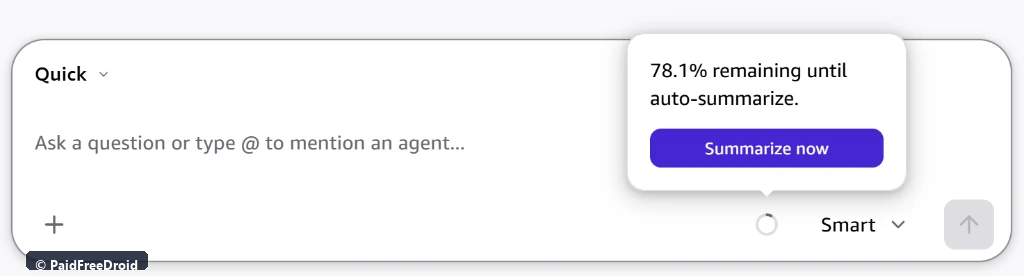
To prevent token overflows during long collaborative sessions, AWS Quick introduces an active memory monitor directly inside the prompt bar. The interface displays exact remaining context capacity (such as 78.1% remaining until auto-summarize), giving users visibility into token consumption and offering a manual one-click option to condense conversation history before hitting model boundaries.
Step-by-Step Walkthrough: How to Sign Up for Free Without a Credit Card

Getting started on the AWS Quick Free plan takes under two minutes. Follow these verified onboarding steps:
- Navigate to the Access Portal: Open your web browser and visit either quick.aws.com or aws.com/quick. This direct consumer endpoint bypasses the standard AWS Management Console sign-in screen.
- Select Your Authentication Provider: Choose your preferred sign-in method. You can register using any personal or work email address, or authenticate instantly via single sign-on using an existing Google, Apple, GitHub, or Amazon retail account.
- Verify Your Email Credentials: If registering with a standard email address, enter your full name, choose a secure password, and submit the 6-digit one-time verification passcode (OTP) delivered to your inbox.
- Enter the Workspace Dashboard: Once authenticated, AWS automatically initializes a managed personal workspace. You will land directly on the Quick dashboard without being asked for credit card details, billing addresses, or AWS account numbers.
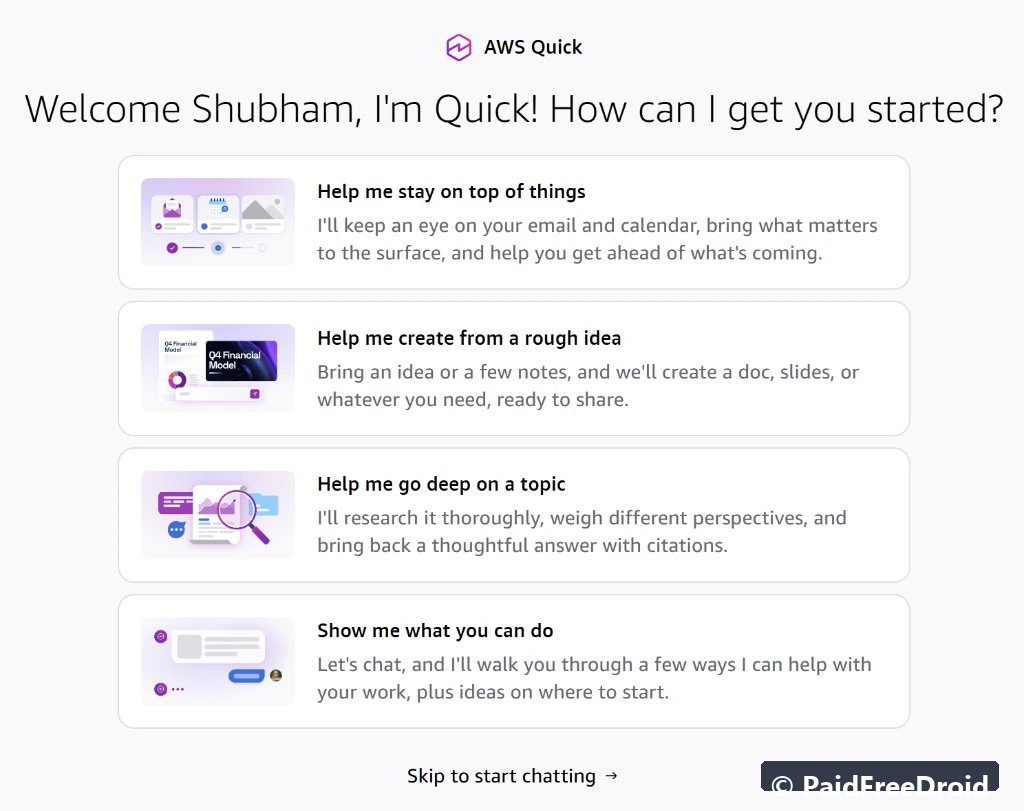
- Select an Action Module: Quick greets you with modular starter cards: Help me stay on top of things (email and calendar tracking), Help me create from a rough idea (document and slide creation), Help me go deep on a topic (deep research with citations), or Show me what you can do.

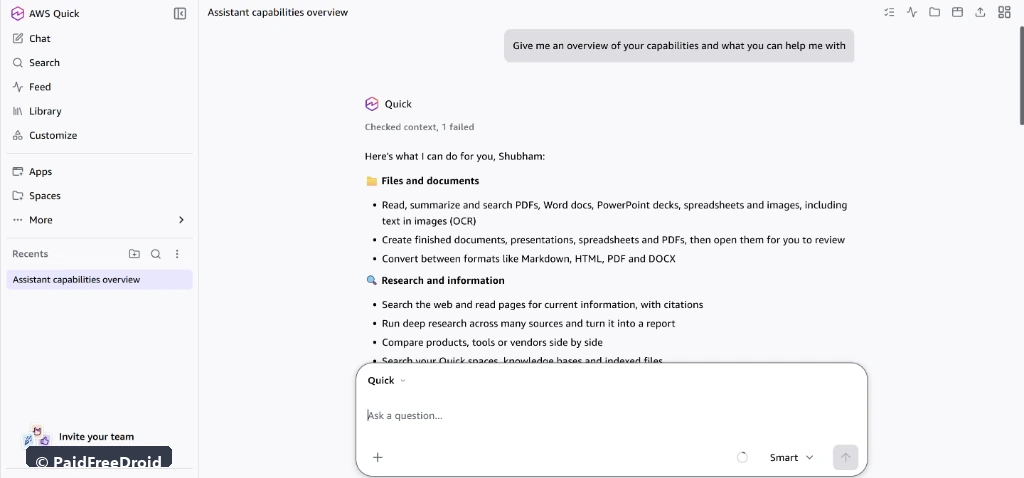
Inside the web dashboard, users gain access to a dedicated navigation rail housing Chat, Search, Feed, Library, Customize, Apps, and Spaces. The assistant immediately indexes uploaded PDFs, Word documents, PowerPoint decks, spreadsheets, and scanned images via native Optical Character Recognition (OCR).
Feature and Pricing Breakdown: Free Tier vs. Plus and Enterprise Plans
AWS Quick uses a tiered subscription model that balances generous individual exploration with scalable corporate controls. The table below outlines key feature allocations across all tiers:
| Plan Tier | Monthly Price | Storage Allocation | Agent Quotas | Key Features and Connectors |
|---|---|---|---|---|
| Free Plan | $0 / month | 1 GB pooled storage | Standard daily quota | Core AI chat, Deep Research, Spaces, Quick Flows, standard web connectors |
| Plus Plan | $20 to $25 / user / month | 10 GB pooled storage | Expanded agent execution | Priority compute queue, advanced custom agents, multi-app connectors |
| Max Plan | $100 / user / month | 50 GB pooled storage | High-intensity agent hours | Power automation suites, high-volume file indexing, extended context |
| Enterprise Plan | $20 to $40 / user / mo + $250 base fee | 50 GB pooled storage | Up to 18 agent hours / user | SSO / SAML, audit logs, role-based access control (RBAC), asset certification |
For independent professionals, the Free tier provides sufficient compute capacity to draft technical reports, build basic workflow automations, and connect standard cloud storage services including Google Drive, Microsoft OneDrive, and public web scrapers. These autonomous capabilities build upon industry advancements in model reasoning, previously detailed in our evaluation of frontier coding agents and benchmark performance standards.
Platforms and Integrations: Desktop, Mobile, Browser Extensions, and Office 365

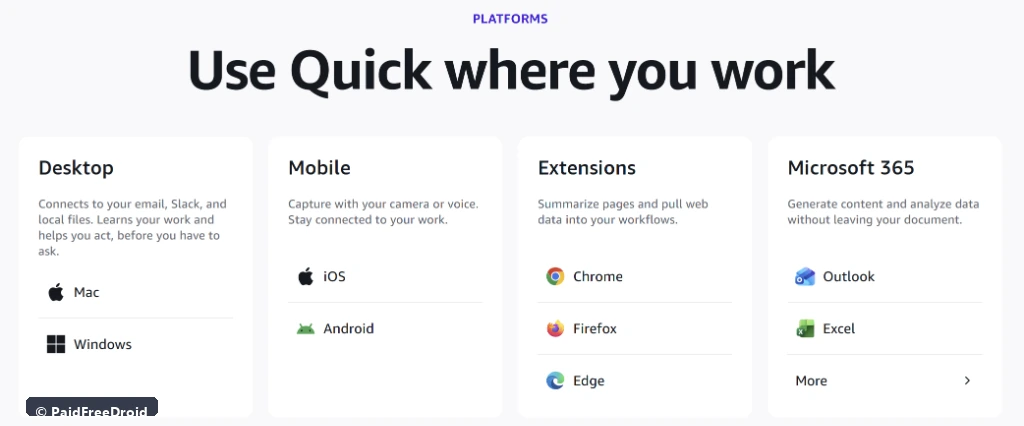
Rather than confining users to a browser tab, AWS Quick integrates across multiple operating environments:
- Desktop Applications (Windows and macOS): Connects directly to local folders, Outlook calendars, Slack instances, and local code trees, learning user habits to assist before being asked.
- Mobile Apps (iOS and Android): Enables multimodal capture using smartphone cameras, microphone audio transcription, and on-the-go task queries.
- Browser Extensions (Chrome, Firefox, Edge): Summarizes active web articles, extracts tabular data from browser pages, and injects web research directly into active Quick spaces.
- Microsoft 365 Add-ins (Outlook and Excel): Drafts contextual email replies and executes formula calculations directly inside Microsoft Office applications without switching windows.
Data Privacy, Local File Permissions, and Workspace Governance
Connecting workplace repositories to an AI agent raises immediate concerns regarding data sovereignty and corporate confidentiality. AWS addresses these concerns by extending enterprise cloud security baselines to all Quick tiers:
- No Model Training on User Prompts: AWS explicitly states that customer prompts, private queries, and uploaded documents are not utilized to train public foundation models or shared across customer boundaries.
- Encrypted Transport and Storage: All indexed data is encrypted in transit using TLS 1.3 and encrypted at rest with AWS Key Management Service (KMS) cryptographic standards.
- Scoped Local File System Permissions: The desktop application operates inside an isolated sandbox, indexing only specific directories explicitly authorized by the user.
These strict access boundaries mirror wider defensive standards being adopted across consumer and enterprise communication ecosystems, as analyzed in our report on how secure platforms are restricting unauthorized AI scraping and background data harvesting.
PFD Context: Amazon Pivots from Cloud Infrastructure to Consumer AI Agents
For more than fifteen years, Amazon Web Services established market dominance by providing the foundational plumbing of the internet: raw virtual servers, relational databases, and enterprise object storage. While developers appreciated AWS’s technical reliability, everyday business users found its console interfaces dense, intimidating, and fraught with billing anxiety.
When the generative AI revolution accelerated, Microsoft and Google swiftly capitalized on consumer familiarity through intuitive front-end interfaces like Microsoft Copilot and Google Gemini. AWS Quick marks Amazon’s definitive answer to this market shift. By stripping away AWS account prerequisites, mandatory credit card entries, and complex cloud setup wizards, Amazon is signaling that its future lies not only in renting computing infrastructure, but in placing autonomous, Claude-powered AI agents directly onto everyday workstations.